
Generally, we don't recommend permanently disabling your account. From experience, many players who leave the game ultimately return, and starting from scratch is frustrating and not fun at all.
We also advise that you review our policies:
https://play2ever-policy.com/tycoon-blitz/view#play2ever-responsible-gaming
You'll find there are plenty of ways to still enjoy the game without overextending yourself, and there are several alternatives to completely disabling your account.
If you wish to leave the game, you can simply delete it from your device and rest assured that any information gathered, if any, from you playing our game is solely for game purposes, e.g. player's account status, game progress, etc. And as we only use Google's/Apple's payment platforms, we do not store personal information on our database.
If you still wish to proceed with disabling your account, we of course respect your decision and will certainly do so at your request. Please read the following notes:
- Account deletion will clear all data under your current account, including recharge, items, etc. If you have unused virtual items such as virtual coins or paid functions under your account, please use them before deleting your account. All unused virtual items such as virtual coins or paid functions will be cleared together with the account after the account is deleted, so please proceed with the deletion request with caution.
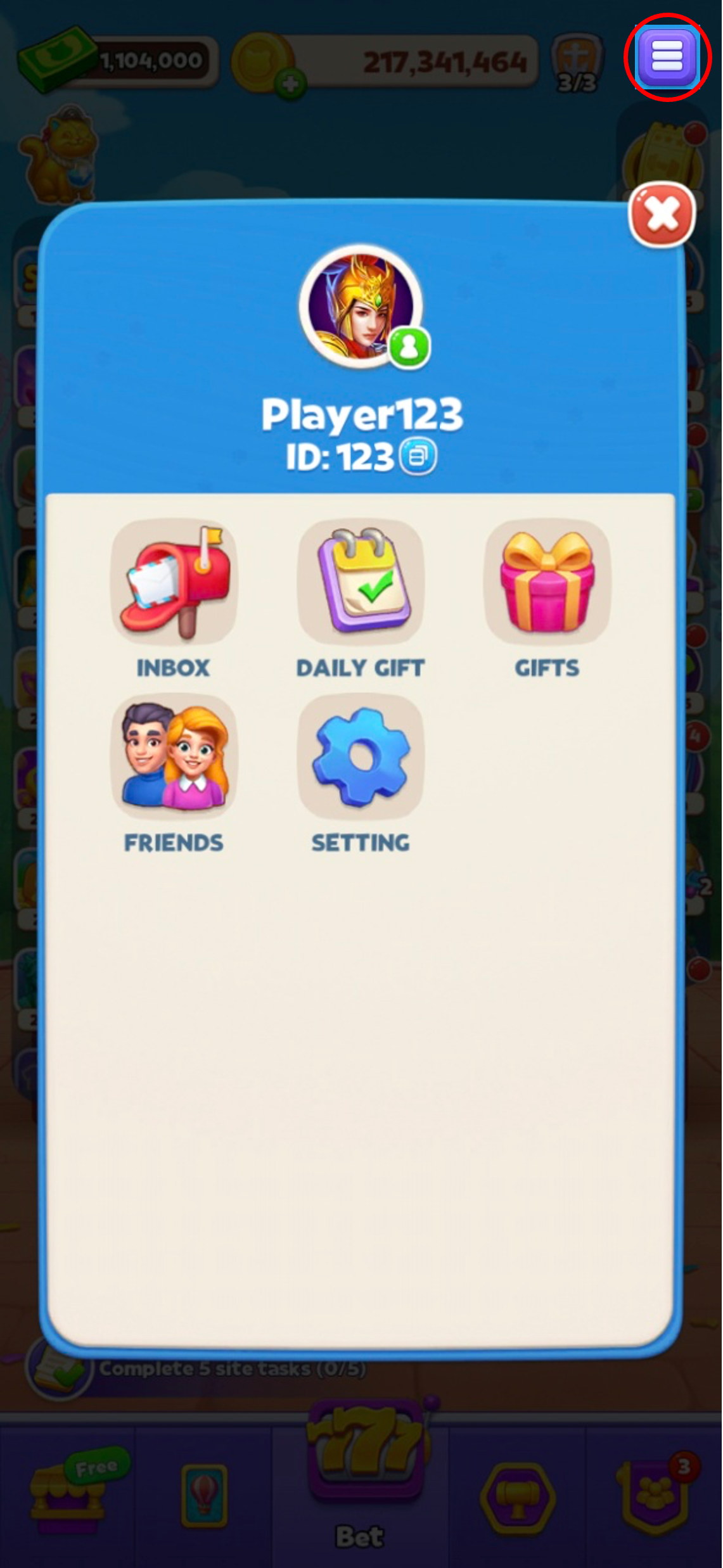
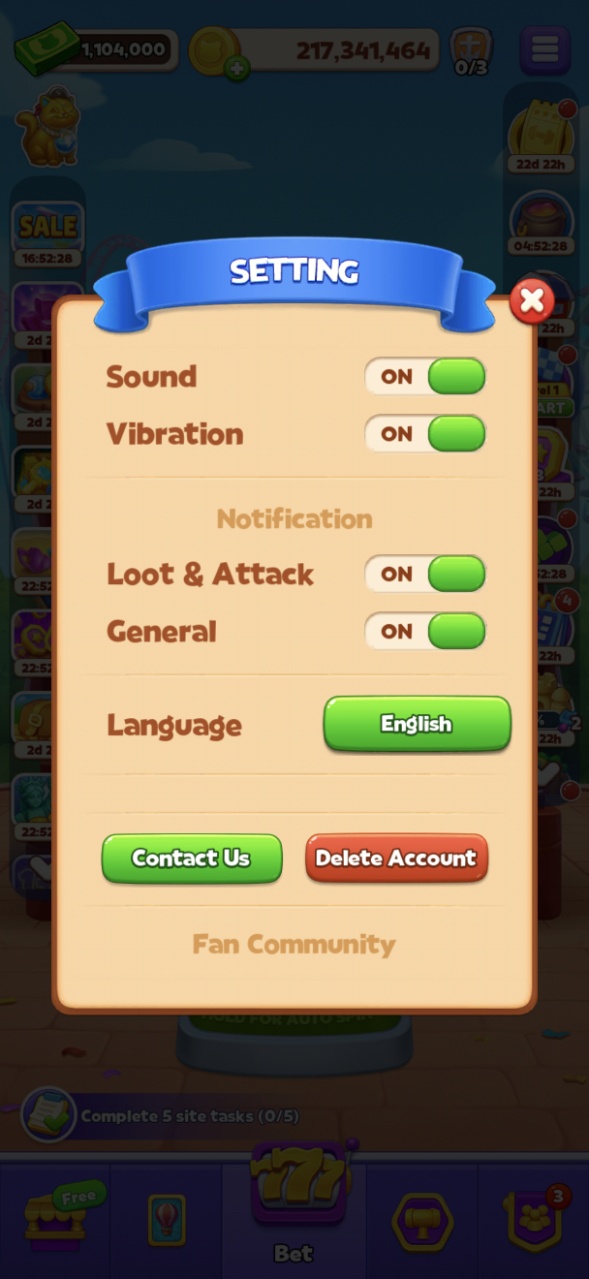
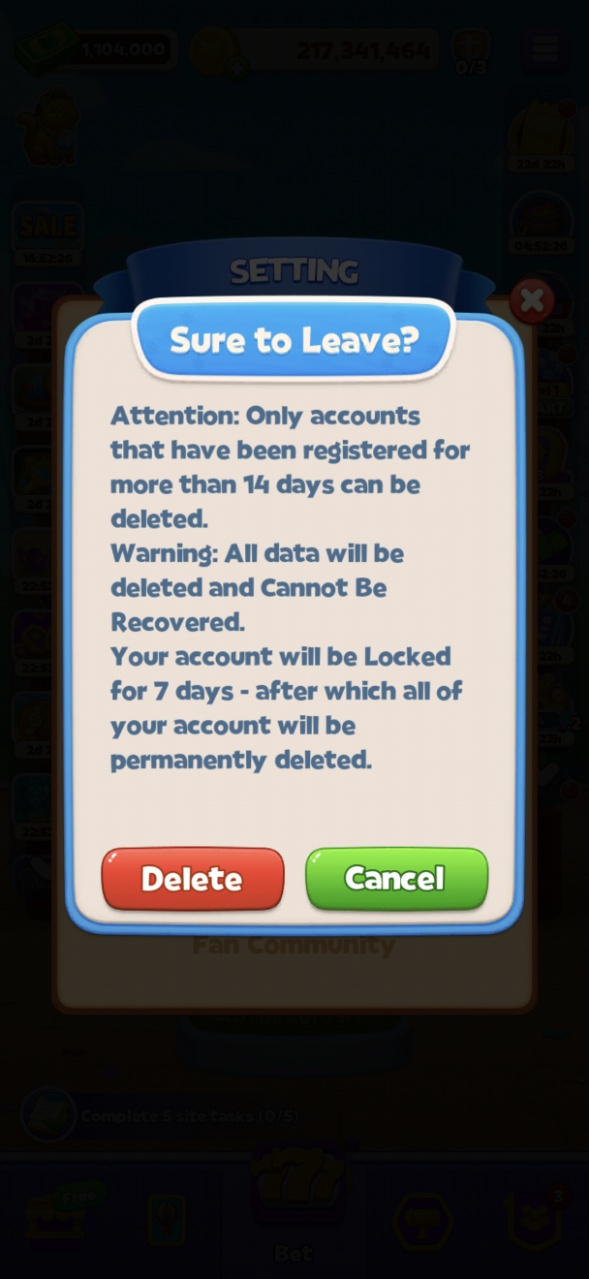
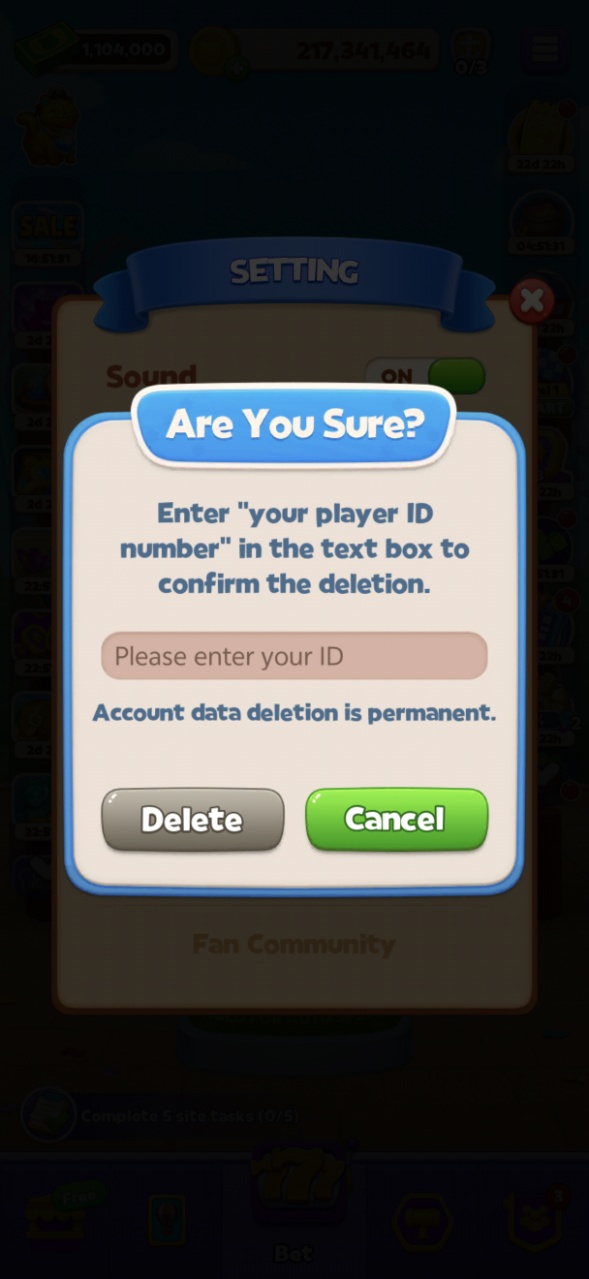
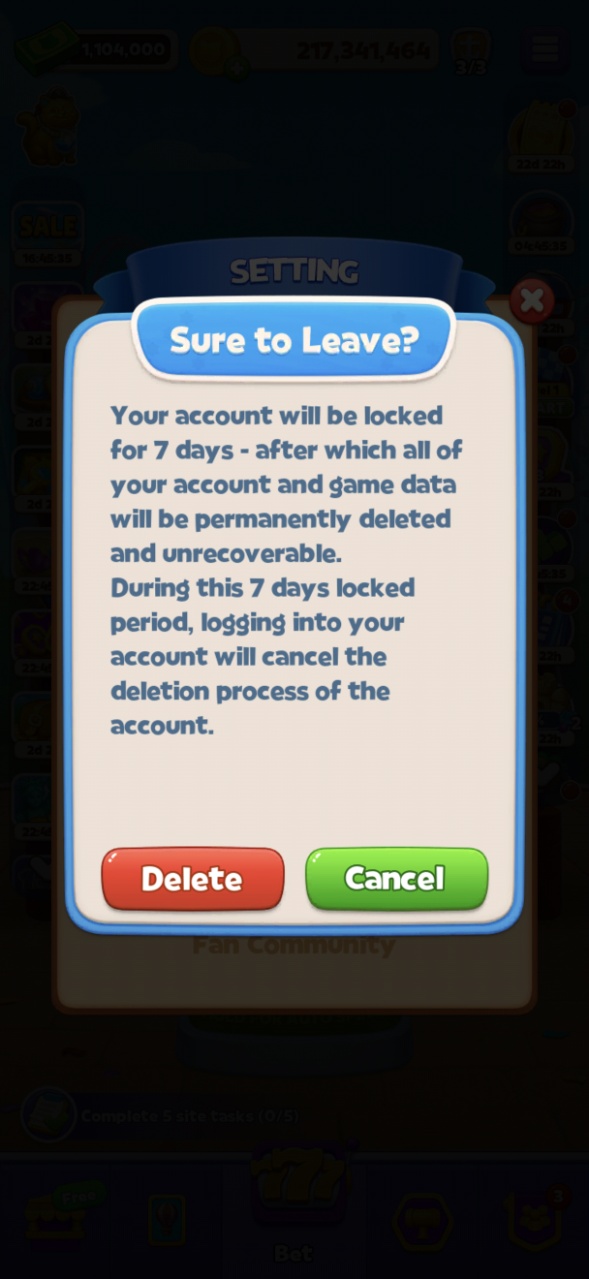
- There is an option where players can delete game account manually. Tap the MENU button on the top right corner, select SETTING, find DELETE ACCOUNT button, tap it into the account deletion note, tap DELETE to continue, input your game ID and tap DELETE again, in the final confirmation page tap the DELETE button again, then you game account will be locked for a period of 7 days. Before the period ends, you are still able to log into your account. After the period, your game account will be permanently deleted.
- If you regret deleting your account, please contact customer support, which will rescind your deletion request simultaneously.
If you have noted and accepted the above, please tap on the button below: "Account Deletion"